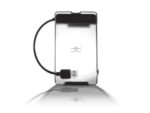
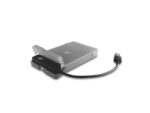
Introducing the USB 3.0 to 2.5” SATA Hard Drive Adapter with Case – a unique and simple adapter with a Casing that is pack with latest functionality. This light weight adapter with the Snap & Lock Casing without using any tools makes it so easy to connect any 2.5” SATA Hard Drive and link it to your USB 3.0 port. It is very fast using Super Speed USB 3.0 and UASP Protocol to move data around in high speed. This storage adapter works very well with your Ultra laptop or tablet for backing up your data or holding more data. The driver free design with plug and ready to play makes it even easier to connect to anything including system and appliances.
Adapter:
Device Support: SATA III/II/I SSD/HDD
Device Size: 2.5” SSD/HDD
SATA Interface: Standard SATA
USB Interface: USB 3.0 Type A (Backwards Compatible with USB 2.0)
HDD Capacity: Up to 2TB (Check our website www.vantecusa.com for any updates)
Material: Plastic
Power: USB Bus Powered
Dimensions: 70 x 27 x 13 mm
USB cable Length: 146 mm (5.75 inches)
Casing:
Device Support: SATA III/II/I SSD/HDD
Device Size: 2.5”, Thickness: 9.5mm
Material: Plastic
Dimensions: 130 x 79 x 19 mm
System Requirements:
Microsoft Windows XP, Vista, 7, 8.1, 10
Mac OS X v10.4 and Up
USB 3.0 or 2.0 Equipped System
For USB 3.0 Speeds, the System Must Support USB 3.0 Specification
For UASP, the OS must have Support for UASP Protocol
What’s included: USB 3.0 to 2.5” SATA Hard Drive Adapter, Protective Case, Quick Installation Guide